What you’ll learn
- What an Original Version contains.
- What a Version File contains.
- Which assets a VF can reuse from an OV.
- Why a VF is usually smaller and faster to create.
- Why the OV and VF must normally be delivered together.
- How DaCaPo organizes OV and VF relationships.
What is an Original Version?
An Original Version, or OV, is the master DCP that contains the original assets required for playback.
An OV commonly contains:
- Picture MXF assets
- Main audio MXF assets
- Subtitle or closed-caption assets, when included
- Composition and package metadata
An OV is a standalone delivery. It contains all assets required by its compositions and does not depend on another DCP package.

What is a Version File?
A Version File, or VF, is a DCP that reuses assets from an existing OV while adding or replacing selected content.
A VF may be used to provide:
- A different subtitle language
- Open Captions or Closed Captions
- Alternative main audio
- HI or VI-N accessibility audio
- Replacement picture for one or more reels
- Corrections or updated material
The VF normally contains only the new or changed assets plus the metadata required to describe the new composition.
How a VF reuses assets from the OV
When a VF uses the same picture or audio as the OV, it can reference those existing assets instead of including duplicate copies.
For example, a French subtitle VF may contain a new subtitle asset and a new CPL while continuing to reference the picture and main audio from the OV.
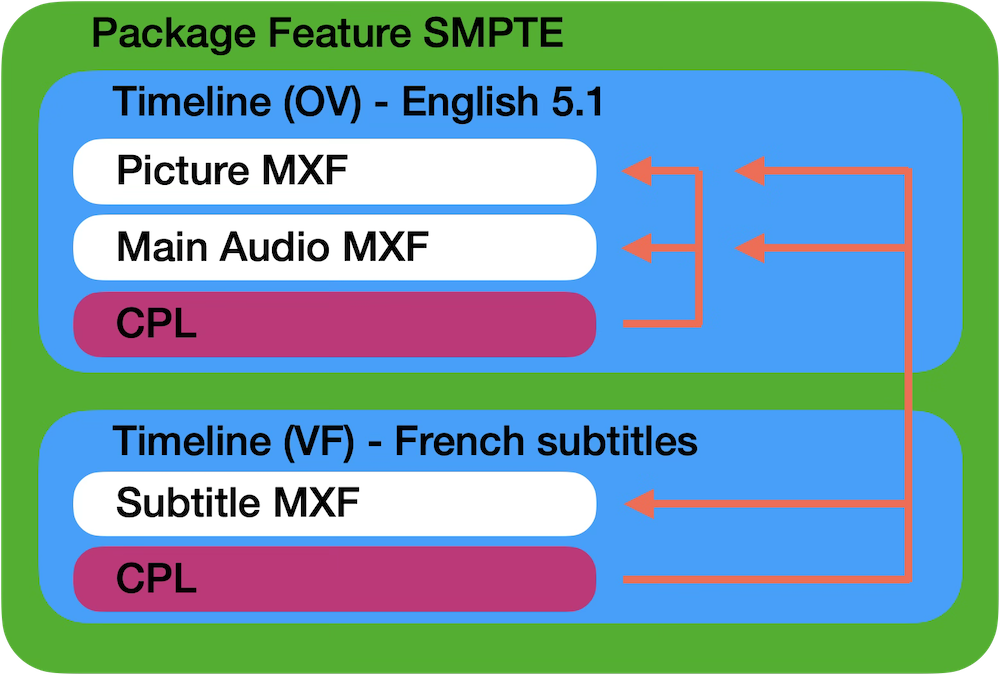
The OV and VF are delivered together
A VF that references OV assets is not a complete standalone package. The playback system must have access to both the VF and the required OV assets.
In practice, the cinema or server normally ingests the OV first and then ingests one or more VFs that depend on it.
Common OV and VF examples
| Delivery | Usually supplied by | Reuses from OV |
|---|---|---|
| Original language master | OV | Nothing; it is standalone |
| French subtitle version | VF | Picture and main audio |
| Alternative dubbed audio | VF | Picture and unchanged assets |
| HI or VI-N accessibility version | VF | Picture and main audio |
OV and VF export in DaCaPo
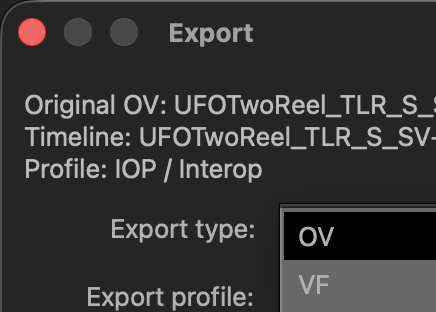
When exporting a timeline, DaCaPo can create either an OV or a VF.
When exporting an OV, DaCaPo creates a standalone DCP containing all required assets.
When exporting a VF, DaCaPo references compatible assets from the Original Version whenever possible and includes only the new or modified assets required for the new composition. This reduces storage requirements and speeds up both export and delivery.
If the target package profile differs from the source package profile, DaCaPo must create a new OV and rewrap the required essence.
How DaCaPo organizes OVs and VFs
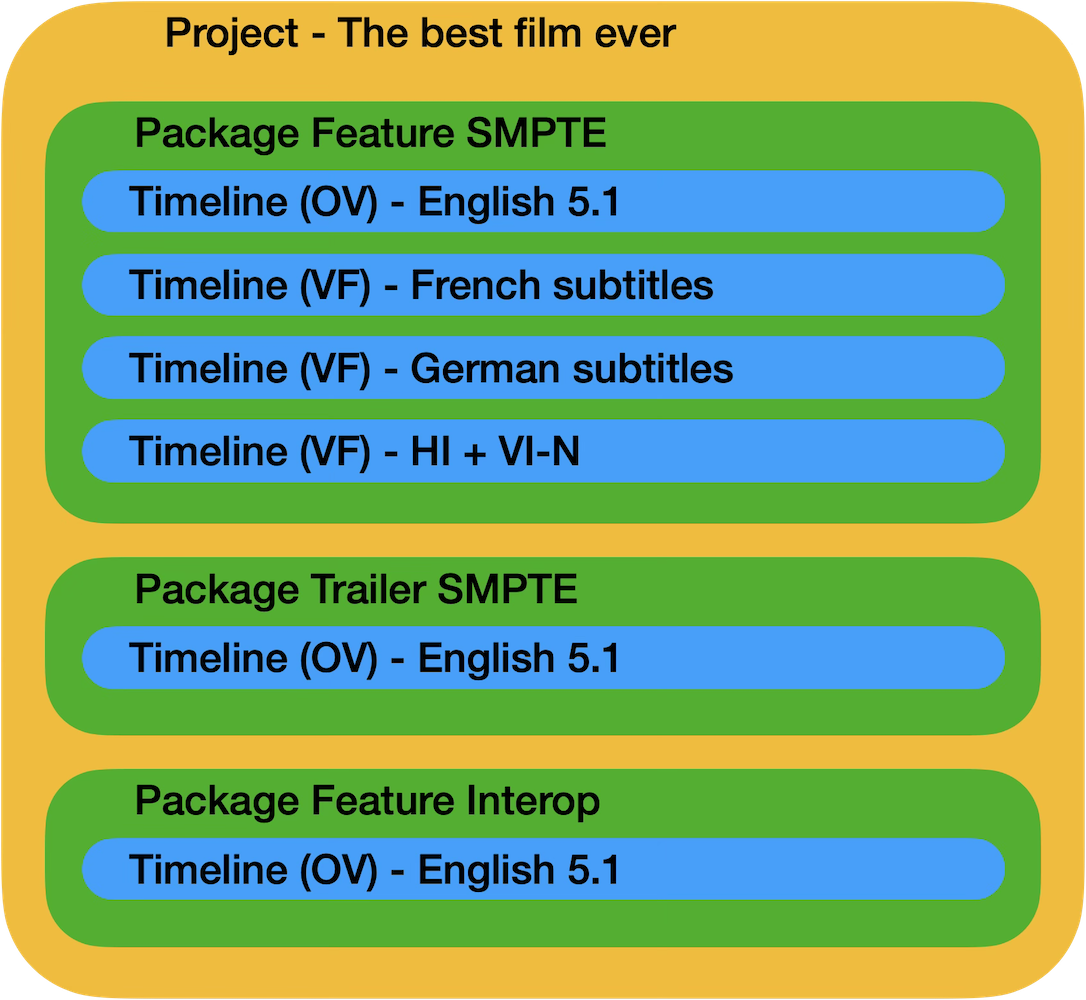
In DaCaPo, related DCP timelines are grouped inside a package.
A package may contain:
- One OV
- Several subtitle VFs
- Accessibility VFs
- Alternative audio versions
- Corrected or updated versions
When related DCPs are loaded, DaCaPo attempts to identify their shared assets and package relationships automatically.
To learn more about how DaCaPo organizes related timelines into Packages, see Understanding Projects, Packages and Timelines .
When should you create a new OV?
- The DCP must be fully standalone.
- The recipient will not have the required source OV.
- You are creating the first master DCP from source media.
- The package profile changes and the assets require rewrapping.
- The delivery specification requires a new complete package.
When should you create a VF?
- You are adding subtitles or captions.
- You are adding or replacing audio.
- You are creating an accessibility version.
- You are replacing a limited part of the picture.
- The target delivery can rely on the existing OV.
- You want to avoid duplicating unchanged assets.
A typical VF workflow
- Load the existing OV into DaCaPo.
- Duplicate the timeline or import new material into a new timeline.
- Add or replace the required subtitle, picture, or audio asset.
- Review the timeline and resolve any errors.
- Export the edited timeline as a VF.
- Verify the exported VF before delivery.
- Deliver the VF together with the required OV.