What you’ll learn
- Why the originating facility needs your DaCaPo public certificate.
- How to export the public certificate from DaCaPo.
- What information to send with the DKDM request.
- How to load the returned DKDM.
- Why a DKDM created for one workstation cannot be used on another.
What you need
A DKDM is created for a specific recipient certificate.
To request a DKDM for DaCaPo, send the public certificate from the workstation that will open the encrypted DCP to the facility that controls the source encryption keys.
Open Certificate preferences
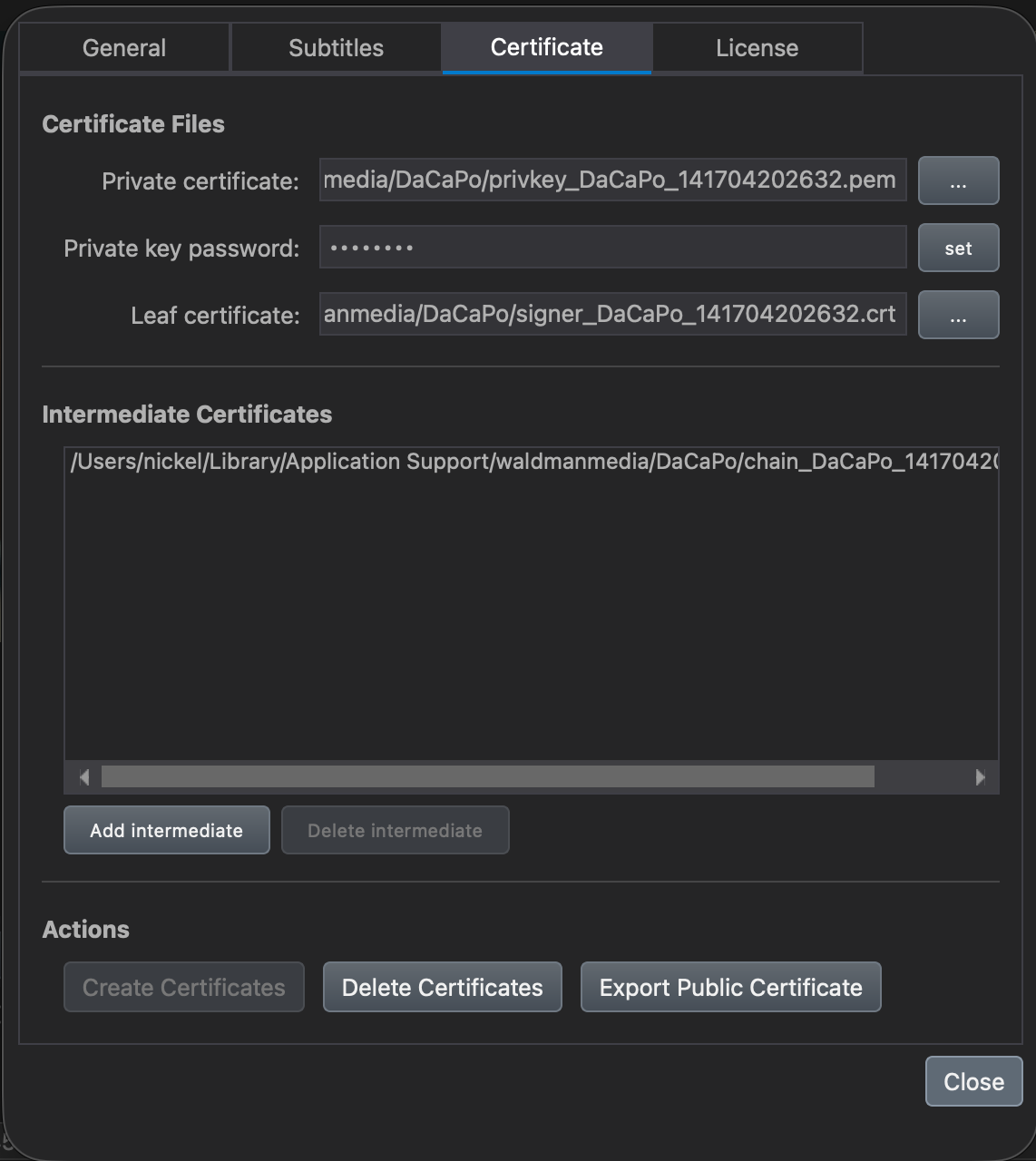
Open Preferences and select the Certificate section.
Export the public certificate
Click Export Public Certificate and save the certificate to a suitable location.
This is the certificate the originating facility must use when creating the DKDM for this DaCaPo workstation.
Send the public certificate
Send the exported public certificate to the facility that will create the DKDM.
The DKDM must be encrypted for this certificate so that the DaCaPo workstation can use it.
Provide the DKDM request details
Along with the public certificate, provide enough information for the originating facility to identify the encrypted DCP and the validity period you require.
Typically include:
- The DCP or CPL that must be unlocked.
- The required Start Time.
- The required End Time.
Receive the DKDM
The originating facility creates a DKDM using your exported DaCaPo public certificate and sends the resulting file back to you.
Keep the DKDM together with the corresponding encrypted DCP or in your normal secure delivery archive.
Load the DKDM in DaCaPo
Load the encrypted DCP in DaCaPo.
If DaCaPo cannot find a usable key automatically, it asks you to select a decryption key. Select the received DKDM.
If the DKDM matches the encrypted DCP, was created for this workstation, and is within its validity period, DaCaPo completes the DCP load.
Using another workstation
A DKDM is created for a specific recipient certificate.
If the encrypted DCP will be opened on another DaCaPo workstation, export the public certificate from that workstation and request a separate DKDM for it.
Common problems
The DKDM does not work on this workstation
Confirm that the DKDM was created using the public certificate exported from this DaCaPo workstation.
The DKDM is not yet valid
Check its Start Time.
The DKDM has expired
Request a new DKDM with a suitable validity period.
The DKDM is valid but does not unlock the DCP
Confirm that the DKDM was created for the correct encrypted DCP or CPL.
I need to use the DCP on a second DaCaPo workstation
Export the public certificate from the second workstation and request a separate DKDM for that certificate.