What you’ll learn
- What Source Gamma tells DaCaPo.
- What Source Colour Space tells DaCaPo.
- How to choose between gamma 2.2, 2.4, and 2.6.
- How to choose between Rec.709, P3-D65, and P3-DCI.
- Why the settings describe the source, not the DCP output.
- How to avoid common colour-management mistakes.
What these settings mean
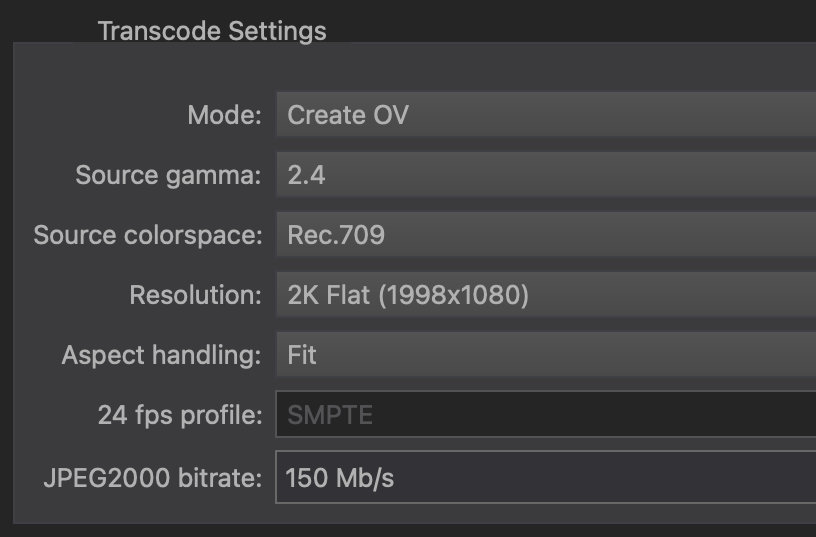
The source settings tell DaCaPo how to interpret the incoming image before conversion.
They do not define the final DCP colour format. The DCP conversion is handled by DaCaPo. Your task is to describe the source accurately.
Choose Source Gamma
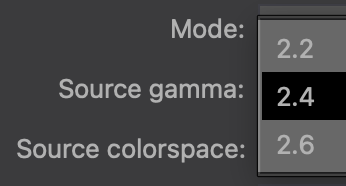
DaCaPo provides three Source Gamma options: 2.2, 2.4, and 2.6.
Gamma 2.2
Choose 2.2 when the source was specifically mastered or exported using gamma 2.2.
This may apply to material prepared for general computer-display viewing, graphics workflows, or exports whose documentation explicitly identifies gamma 2.2.
Gamma 2.4
Choose 2.4 when the source was mastered or exported using gamma 2.4.
This is common for professional Rec.709 video mastering, but it should still be confirmed from the source workflow rather than assumed.
Gamma 2.6
Choose 2.6 when the source was specifically mastered using gamma 2.6, such as a cinema-oriented source workflow.
Do not choose 2.6 only because the destination is a DCP. The setting must match the source image.
Choose Source Colour Space
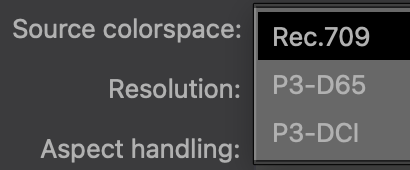
DaCaPo provides three Source Colour Space options: Rec.709, P3-D65, and P3-DCI.
Rec.709
Choose Rec.709 when the source was graded or exported in Rec.709.
This is common for HD and UHD video masters, broadcast deliverables, streaming deliverables, and many ProRes or H.264/H.265 exports. However, the codec or container does not guarantee Rec.709.
P3-D65
Choose P3-D65 when the source was mastered in a P3 colour space using a D65 white point.
This may be used in wide-gamut display and mastering workflows. Check the source documentation because P3-D65 and P3-DCI are not interchangeable.
P3-DCI
Choose P3-DCI when the source was specifically mastered in the P3-DCI colour space.
Do not select P3-DCI simply because you are creating a DCP. If the source is Rec.709, choose Rec.709 and allow DaCaPo to perform the conversion.
Typical examples
The examples below are starting points only. Always prefer the documented mastering or export settings for the actual file.
| Source description | Likely gamma | Likely colour space |
|---|---|---|
| Professionally mastered Rec.709 video | 2.4 | Rec.709 |
| Computer-display or graphics export documented as gamma 2.2 | 2.2 | Usually Rec.709, if documented |
| P3 master with D65 white point | Use the documented value | P3-D65 |
| Cinema-oriented master documented as P3-DCI and gamma 2.6 | 2.6 | P3-DCI |
How to confirm the source settings
Check the following, in this order:
- The grading or mastering notes supplied with the source.
- The export settings used in the source application.
- Information from the colourist, editor, or post-production facility.
- Reliable metadata or sidecar documentation supplied with the file.
Avoid relying only on the filename, codec, or file extension. A MOV or ProRes file can contain material prepared in different colour spaces and transfer characteristics.
Review the preview
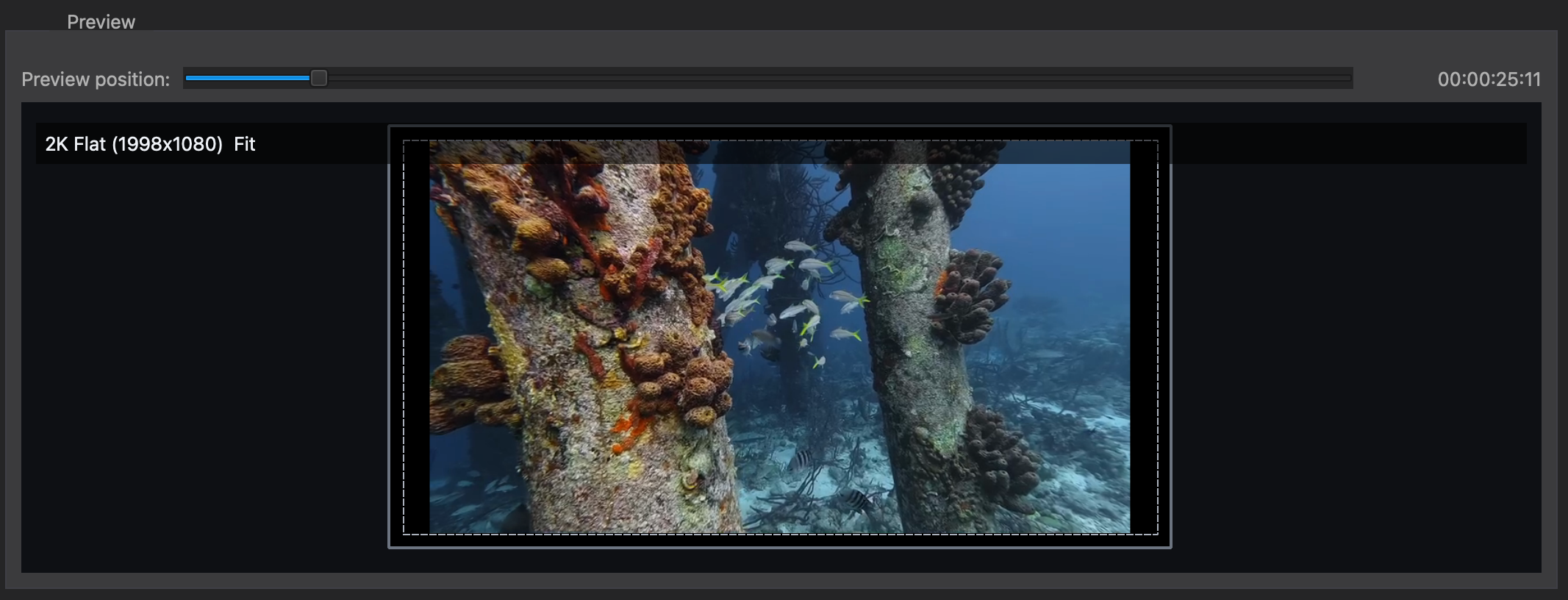
After choosing Source Gamma and Source Colour Space, inspect several representative frames in the Import Video preview.
Look for:
- Unexpectedly dark or bright midtones.
- Washed-out or overly saturated colours.
- Incorrect skin tones.
- Unexpected colour shifts in neutral greys or whites.
Common mistakes
Choosing P3 because the destination is a DCP
The source colour-space setting describes the incoming file. A Rec.709 source should be identified as Rec.709 even when the final destination is Digital Cinema.
Choosing gamma 2.6 because cinema uses a dark viewing environment
Source Gamma must match the source master. Do not use 2.6 unless the source was actually mastered that way.
Assuming every ProRes file is Rec.709
ProRes is a codec, not a colour space. Confirm how the file was graded and exported.
Judging the result only from an uncalibrated display
A computer display may not provide an accurate reference. Use known source documentation and verify the resulting DCP as part of the delivery workflow.